NSF Unidata AWIPS 23.4.3-1 Release

Welcome back to AWIPS Tips!
AWIPS v23.4.3-1 is a full release, with both EDEX and CAVE installation options.
This release includes an upgrade of Java 11 to Java 17 as well as some bug fixes and new content. This version is compatible with the previous 23.4.1-1 release.
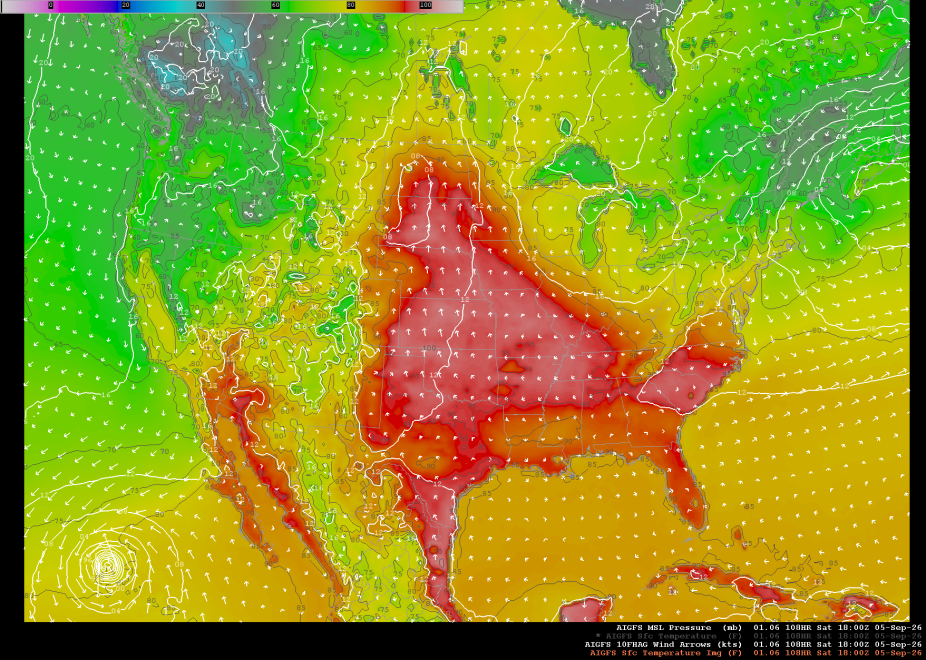
AI-GFS Model run of surface temperature, winds, and MSL Pressure
General
- Upgrade to Java 17
- General FOSS version updates
- AI-GEFS and GEFS model data now available
- New Ensemble Tool
- Reconfigured logging to use Alertview
- Fixed missing scales of radar bundles
- Fixed display of JASON Waveheight products
- Removed outdated satellite menus
- Removed obsolete lightning menus
CAVE
Mac
- RGB satellite products now render
- Two installers for Mac - intel (x86_64) and silicon (arm64)
- Fixed Mac legend and colorbar issue
Virtual Machine
- RGB satellite products now render
How to Install EDEX
Visit our EDEX Installation Page and follow the instructions for installing EDEX on a Linux machine.
How to Install CAVE
Visit our CAVE Installation Page and see options for the Linux, Windows, and Virtual Machine installation methods.
EDEX Connection
Select the server in the Connectivity Preferences dialog, or enter **edex-cloud.unidata.ucar.edu**.

Functionality/Reporting
To report any bugs/issues/broken functionality, please fill out this short form.
To view archived blogs, visit the AWIPS Tips blog tag, and get notified of the latest updates from the AWIPS team by signing up for the AWIPS mailing list. Questions or suggestions for the team on future topics? Let us know at support-awips@unidata.ucar.edu
Add new comment