
Unidata - To provide the data services, tools, and cyberinfrastructure leadership that advance Earth system science, enhance educational opportunities, and broaden participation. Unidata
         
  advanced  
 
Table of contents Previous: Graphics and the Cursor - Changing the Cursor Shape, Color, and Size Next: Graphics and the Cursor - Zooming with the Cursor

6.6 Graphics and the Cursor - Contouring Data with the Cursor

In this exercise, you will contour the temperatures and brightness levels of an image.

  1. Erase the graphics in frame 1. Display the latest GOES-7 4km IR image on frame 1 centered on 36° N and 104° W. Magnify the resolution by a factor of 4.

    Type: ERASE G 1;IMGDISP GI4 1 LATLON=36 104 MAG=4 SF=YES

  2. Position the cursor in the center of the frame. Contour the brightness levels using a contour interval of 10 inside a 401 by 401 pixel cursor.

    Type: PC C;IMGPROBE CONT BOX BRIT SIZE=401 401 CINT=10 MODE=N
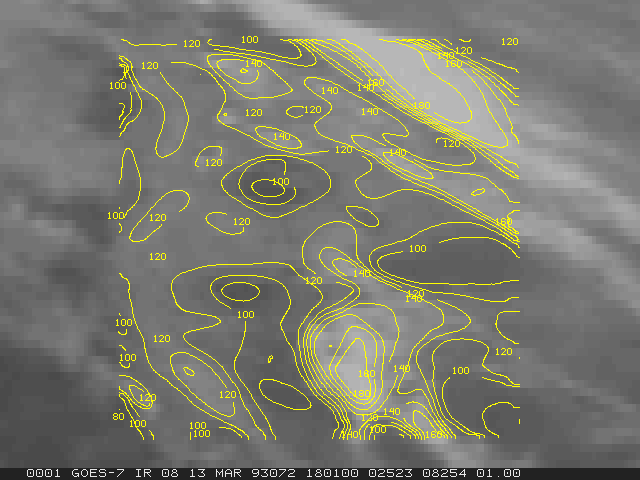
  3. Display the latest GOES-7 4km IR image on frame 2 centered on 36° N and 104° W. Magnify the resolution by a factor of 4.

    Type: IMGDISP GI4 2 LATLON=36 104 MAG=4 SF=Y

  4. Position the cursor in the center of the frame. Contour the temperature inside a 401 by 401 pixel cursor. Specify a contour interval of 5 Kelvin.

    Type: PC C;IMGPROBE CONT BOX TEMP SIZE=401 401 CINT=5 MODE=N


Table of contents Previous: Graphics and the Cursor - Changing the Cursor Shape, Color, and Size Next: Graphics and the Cursor - Zooming with the Cursor


  Contact Us     Site Map     Search     Terms and Conditions     Privacy Policy     Participation Policy
 
National Science Foundation (NSF) UCAR Community Programs   Unidata is a member of the UCAR Community Programs, is managed by the University Corporation for Atmospheric Research, and is sponsored by the National Science Foundation.
P.O. Box 3000     Boulder, CO 80307-3000 USA     Tel: 303-497-8643     Fax: 303-497-8690