


Unidata IDV Workshop for version 6.2u2 > Starting the IDV/GUI Basics > IDV Basic Concepts

2.1.7 Exiting the IDV
Exiting the application is easy.
For now, we'll exit out of the IDV in preparation for the
next exercise.
- To exit the IDV application, select the
menu item or
click the
 icon in
the main toolbar.
icon in
the main toolbar.
- You be given a chance to cancel this action if you hit
it inadvertently.
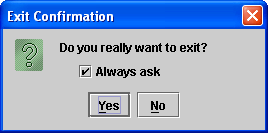
- Click
Yes to exit. If you would
like to bypass this message in the future, uncheck the
Always ask option before clicking Yes
Unidata IDV Workshop for version 6.2u2 > Starting the IDV/GUI Basics > IDV Basic Concepts